Ergonomics for Women: A Practical Guide to Pain-Free Workspaces
Let's be honest. Most office chairs, desks, and keyboards feel like they were designed for someone else. Because they were. Traditional ergonomics has used a male-centric model for decades, leaving women to deal with the consequences: higher rates of repetitive strain injuries, neck and shoulder pain, and just general discomfort that drains your energy by 3 PM.
I've worked as an ergonomics consultant for over a decade, and I can't tell you how many times I've walked into a home office or corporate setting and seen the same setup fail women. The chair is too deep, forcing them to perch on the edge. The desk is a mountain, making them hike their shoulders up to type. The mouse is a bulky brick that strains the hand.
This isn't about being fussy. It's about physiology. On average, women have narrower shoulders, shorter torso length, smaller hands, and a different hip-to-waist ratio than men. Using equipment scaled for the 50th percentile male (roughly 5'10") when you're 5'4" isn't just uncomfortable—it's a direct path to chronic pain.
What You'll Find in This Guide
Why "Standard" Office Ergonomics Leaves Women Behind
The data is pretty clear. Studies referenced by organizations like the Occupational Safety and Health Administration (OSHA) show that work-related musculoskeletal disorders (like carpal tunnel and tendonitis) are more prevalent in female-dominated occupations involving computer work. It's not that women are weaker. The tools are mismatched.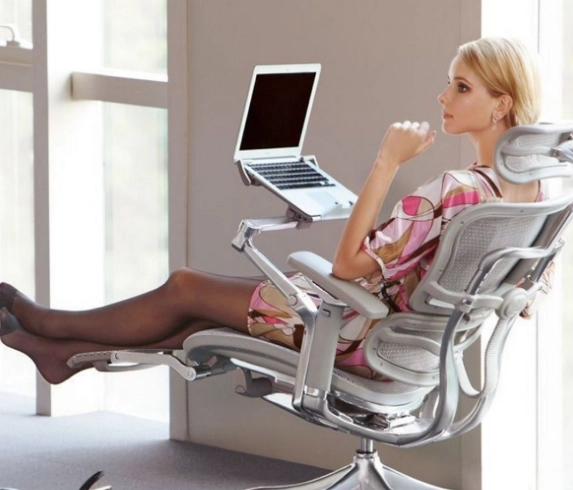
Think about a typical office chair. The seat depth—the distance from the seat back to the front edge—is often 18-20 inches. For a woman with a shorter femur (thigh bone), that means the seat edge hits behind the knee, compressing blood vessels and nerves. Her instinct? Scoot forward until her knees are free, but now her back loses lumbar support. Instant lower back pain.
Then there's the desk. The standard height is 29-30 inches. To type comfortably, your elbows should be at a 90-110 degree angle, wrists straight. For many women, that means the desk surface is too high, forcing them to elevate their shoulders. Hello, trapezius tension headaches.
The Non-Consensus Take: The biggest issue isn't just buying "ergonomic" stuff. It's the assumption that adjustment is enough. If the range of adjustment doesn't go small enough, you're out of luck. A chair with a seat depth that only adjusts from 18 to 20 inches is useless if you need 16.
How to Adjust Your Chair: Forget What You Know
Most guides tell you to adjust height first. I'm telling you to ignore that. For women, the sequence matters more because of proportions.
Step 1: Seat Depth (The Most Important)
Sit all the way back. Is there more than a 2-3 finger width gap between the seat edge and the back of your knee? If you can fit your whole fist, it's too long. Adjust the seat pan forward. If your chair doesn't have this adjustment, use a cushion behind your lower back to effectively shorten the seat, but a footrest becomes critical.
Step 2: Seat Height
Now adjust height so your feet are flat on the floor, thighs parallel to it, knees at about a 90-degree angle. If your feet dangle, you need a footrest. Don't just lower the chair until your feet touch—that will throw off everything else. A simple sturdy box or a dedicated footrest works.
Step 3: Lumbar Support
It should fit into the natural curve of your lower back, not poke you in the tailbone or sit too high. Many women need it lower than expected.
Step 4: Armrests (Optional, but be careful)
If you use them, they should let your shoulders relax, not hike up. Your elbows should rest lightly. If they force your arms out wide (common with broader chairs), they're doing more harm than good. Consider removing them or getting a chair with narrower, adjustable armrests.
Conquering Your Desk, Keyboard, and Mouse
This is where the magic happens. Your chair is set. Now for the top half.
The #1 Tool for Women: A keyboard tray. I know, they look dated. But they are the single most effective way to get your keyboard and mouse to the correct height if you have a fixed-height desk. The tray should allow for negative tilt (the back is higher than the front) to keep wrists neutral.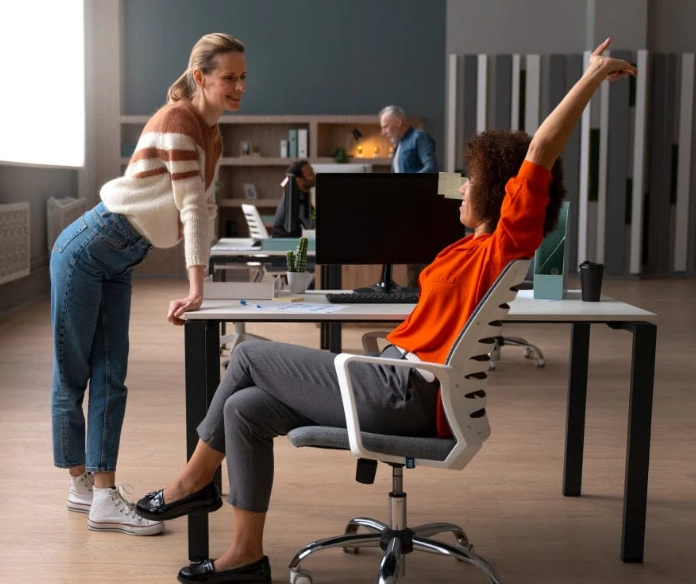
Monitor height is next. The top of your screen should be at or just below eye level. Laptop users, this is non-negotiable: you need a stand and an external keyboard/mouse. Staring down at a screen 12 inches lower than it should be is like carrying a 60-pound weight on your neck all day.
For the mouse, think small and vertical. A standard mouse forces your hand into a palm-down "pronated" position, straining the forearm. A vertical mouse keeps your hand in a handshake position. For smaller hands, brands like Logitech and Anker make compact vertical mice that actually fit.
Product Picks: What to Actually Look For
Don't just buy the top-rated chair on Amazon. Look for specific dimensions. Here’s a breakdown of features that matter most for a smaller frame.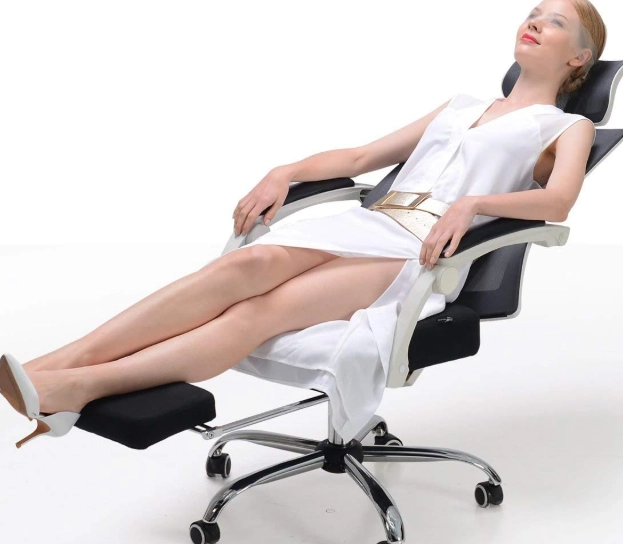
| Product Type | Key Feature for Women | What to Look For / Example |
|---|---|---|
| Ergonomic Chair | Seat Depth Range | Look for a minimum adjustment at or below 16 inches. Chairs like the Steelcase Series 1 or the Herman Miller Sayl often have better ranges for shorter users. |
| Keyboard | Width & Key Layout | Tenkeyless (TKL) keyboards remove the number pad, bringing the mouse closer and reducing shoulder reach. Compact or "mini" keyboards are even better. |
| Mouse | Size & Grip | "Small" or "for travel" labeled mice. Vertical mouse models specifically designed for smaller hands. Measure your hand from wrist to middle fingertip; under 7 inches means you need a small mouse. |
| Footrest | Adjustability & Tilt | Not just a block. One with tilt (like the Kensington Solemate) allows your feet to rock, improving circulation. |
| Monitor Stand | Height Range | Must lift your monitor 4-8 inches minimum. Laptop stands should elevate the screen to eye level while allowing airflow. |
A Real Scenario: Maya the Remote Graphic Designer
Maya is 5'3", works from her dining table on a laptop, and has started getting numbness in her right hand. Her table is 30 inches high. She bought a "gaming chair" but still hurts.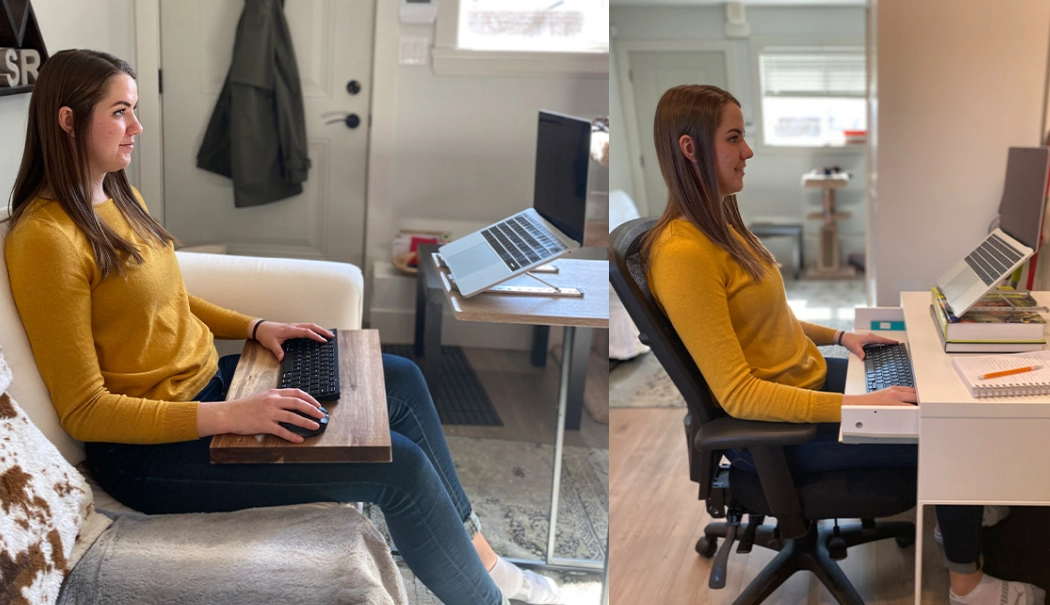
The Problem: The chair's seat is 19 inches deep. Her laptop is flat on the table, so she looks down about 30 degrees. The table is so high she types with her wrists bent upwards. She uses a large, fancy mouse.
The Fix:
1. She got a seat cushion to shorten the effective seat depth.
2. She bought a simple laptop stand ($30) and a compact, tenkeyless keyboard and a small vertical mouse.
3. She added a sturdy box as a footrest.
4. She placed her raised laptop on a stack of books to get the top of the screen to eye level.
Total cost under $150. The numbness faded in two weeks because her wrists were now straight and her neck wasn't constantly flexed.
Common Pitfalls Even Smart People Miss
After hundreds of assessments, here are the subtle errors I see constantly.
Pitfall 1: The "Perfect" Posture Trap. You don't need to sit bolt upright at 90 degrees all day. The CDC notes that movement is key. Good ergonomics allows for safe movement. Recline your chair back a little (100-110 degrees) to take pressure off your spine. Shift your weight. Stand up for a minute every half hour.
Pitfall 2: Ignoring the Phone. Cradling the phone between your ear and shoulder is a neck-killer. Use speakerphone or headsets. This is a massive source of neck strain for women in client-facing or support roles.
Pitfall 3: Forgetting Your Glasses. If you wear bifocals or progressives, you may crane your neck backward to see the screen through the lower part of the lens. Talk to your optometrist about computer glasses with a focal length set for your screen distance.
Pitfall 4: Lighting and Glare. Window behind you? That's glare on your screen, causing you to hunch and strain to see. Side lighting is best. A cheap monitor light bar can make a huge difference in reducing eye strain.
Your Quick Questions, Answered
What is the most common mistake women make when adjusting an ergonomic chair?
Is a keyboard tray really necessary for women's ergonomics?
What's one quick ergonomic fix I can do right now at my desk?
Can ergonomics for women help with existing wrist pain from typing?
Look, ergonomics isn't about creating a perfectly static, museum-like workspace. It's about building an environment that fits *you*, so your body isn't fighting your tools all day. Start with the seat depth. Get that monitor up. Your neck, shoulders, and hands will thank you by the end of the week.
POST A COMMENT